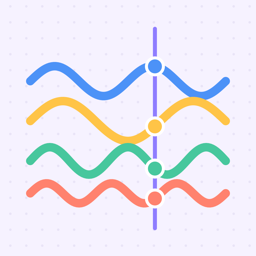
DrawTune is an iPhone and iPad app that turns drawings into music. A playhead sweeps across your canvas and plays every line it crosses: higher lines play higher notes, every line can play its own instrument, and whatever you draw or erase is heard right away. No account is needed; the app is a one-time purchase on the App Store with no subscription, ads or in-app purchases.
47 instrumentsWorld instrumentsRhythm stylesGalleryWorks offlineNo account
Features
Draw to playHorizontal lines become long notes, vertical lines become chords. Music changes the moment you draw.
Pick your instrumentPiano by default. Choose another instrument and the lines you draw next play it, whatever color you use — or choose silent and draw just a picture.
Popular instrumentsPiano, organ, acoustic and electric guitar, bass, synth lead and pad, strings, violin, cello, saxophone, trumpet, harmonica, ukulele, banjo, mandolin, flute, harp and 8-bit.
Mallets and bellsMarimba, xylophone, vibraphone, bells, wind chimes, music box, kalimba, steel drum and handpan.
World instrumentsSitar, koto, shamisen, guzheng, erhu, oud, saz, qanun, santoor, balalaika, bansuri, ney, duduk, pan flute, ocarina, bagpipes, accordion, didgeridoo and gamelan.
Three canvasesFreehand drawing, a pixel grid, or drawing on top of your own photo.
Hum a melodyHum, whistle or sing, and the melody becomes a line on the canvas.
Photo to musicTrace any photo: the app follows the shapes in the picture and plays them.
My soundRecord a note, a clap or your cat and draw with it as an instrument.
SongsChain up to four scenes into a longer piece.
MIDI and iPadExport MIDI to GarageBand or Logic, and draw on iPad with Apple Pencil pressure.
RhythmThree drum layers that combine, in classic, rap, trap, reggaeton or pop styles.
Key and tempoChoose major, minor or pentatonic in any key, and set the tempo from 50 to 200 bpm.
GallerySave your pieces with their sound settings and open built-in examples.
Record and shareRecord what you hear as an audio file and share it anywhere.
Sky modeA sky background with a wider reverb for a calmer sound.
Share as video or linkMake a vertical video for social apps, or send a link that opens your drawing in the app.
Shapes and symmetryLines, circles and waves, three brush sizes, and mirror modes that turn melodies into patterns.
RelaxNature sounds, a sleep timer that fades the music out, and a calm mode with only your drawing on a dark screen.
Widget and iCloudPlay your latest piece from the Home Screen or Lock Screen; your gallery syncs through your own iCloud.
Who makes it?
DrawTune is an independent app developed by Gepgo. Questions and feedback: destek@gepgo.com.